
Game Overview
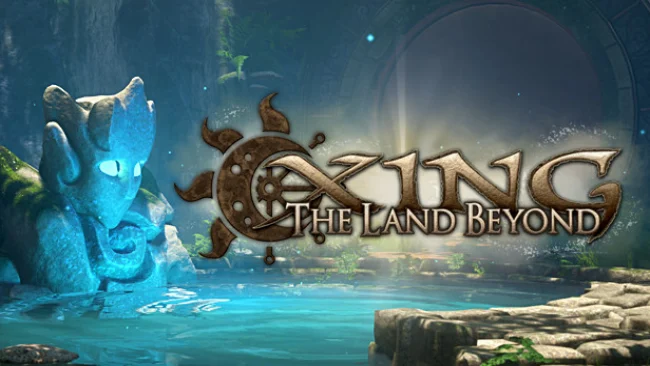
Death serves as the beginning of a quiet, haunting puzzle adventure rather than an ending in XING: The Land Beyond. Set across a beautiful but melancholy afterlife, the journey sends you through the memories, regrets, and unfinished stories left behind by the dead. Each grave can open a path into another person’s world, turning epitaphs and scattered artifacts into clues about lives that have slipped away. The mood is reflective and peaceful, with no enemies to fight and no pressure to rush through its mysteries.
First-person exploration forms the heart of the experience, as you travel through ruined coasts, abandoned settlements, icy landscapes, and other dreamlike environments. Progress depends on environmental puzzles that ask you to manipulate the elements: bring rain to parched mechanisms, use sunlight to reveal routes, summon snow, alter the time of day, and reshape the conditions around you. Notes, poetry, and collectibles gradually assemble the broader story, while hidden paths reward players who carefully inspect every unusual landmark. Puzzles generally allow room for observation and experimentation instead of demanding fast reactions, making the game approachable even when certain later challenges become more intricate.
Its strongest feature is the atmosphere: Unreal Engine 4 scenery, a lyrical soundtrack, weather effects, and a changing day-night cycle create spaces that feel mournful without becoming oppressive. Virtual reality support makes the scale of its cliffs, ruins, and stormy skies especially effective, although the game also works as a conventional first-person adventure for players without a headset. Rather than following the item-combination logic of older adventure games, it resembles Myst and The Witness in its focus on environmental understanding, but carries a more overtly spiritual, story-driven tone. Players looking for combat, survival systems, or constant spectacle may find its deliberate pace too sedate; anyone who enjoys solitary exploration, thoughtful puzzles, and emotionally tinged worlds should find a rewarding journey here.
Screenshots
Installation
- Select the Download button at the top of this page to open UploadHaven.
- On UploadHaven, wait for any countdown, then select Free Download. Optional: UploadHaven Pro for faster downloads.
- When complete, extract the archive to a XING: The Land Beyond folder using 7-Zip.
- Open the extracted folder and start the game normally.
- For errors, check Setup Guide & Troubleshooting below. Keep your security software enabled.
System Requirements
- Requires a 64-bit processor and operating system
- OS *: Windows 7, 8, or 10 – 64 Bit
- Processor: Quad Core Intel or AMD
- Memory: 4 GB RAM
- Graphics: AMD Radeon HD 7850 or NVIDIA GTX 750Ti
- DirectX: Version 11
- Storage: 9 GB available space
- VR Support: SteamVR or Oculus PC
- Additional Notes: For VR: GTX 970 or AMD 480
Setup Guide & Troubleshooting
How do I fix missing DLL errors for XING: The Land Beyond?
After extracting XING: The Land Beyond, navigate to the _Redist or _CommonRedist folder inside the game directory and install DirectX, Vcredist, and any other dependencies included.
What should I do if the downloaded file is corrupted?
The full archive is 4.42 GB — make sure your download completed fully before extracting. Use 7-Zip to extract the files. If you still see a "file corrupted" error, re-download and try again.
Do I need to run the game as administrator?
Usually, no. Start the game normally from the extracted folder. If you see a permissions or save error, check that the folder is writable and follow the game's documented fix. Only grant administrator access when a trusted game's specific setup requires it.
How do I update my GPU drivers for this game?
The game won't launch — what should I try?
Check that extraction completed and your PC meets the system requirements, including Version 11. Note any error message before choosing a fix. If it identifies a missing runtime, install the required DirectX components or Microsoft Visual C++ Redistributable from Microsoft.
My antivirus is blocking the game — is it safe?
A warning needs to be investigated; the download source alone cannot confirm that a file is safe. Keep your security software enabled and review the detection details. Do not run or restore a flagged file unless you have verified that it is a false positive. If you are unsure, leave it quarantined.