
Game Overview
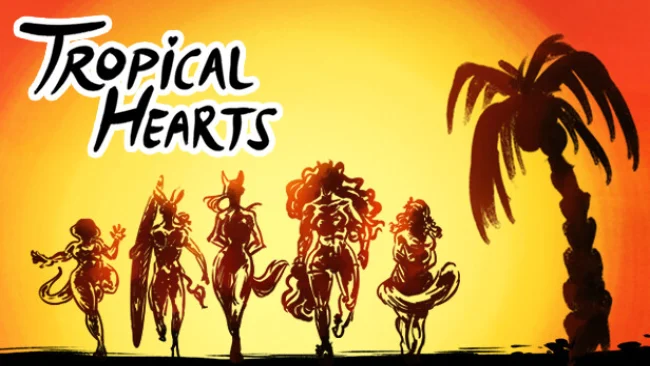
A sun-soaked island holiday turns into a supernatural coming-of-age adventure in this anime-styled turn-based RPG. You play Alex Alvarez, a carefree maned wolf whose gender is player-defined, joining four close friends for an apparently perfect stay at Paradise Island. Beach days, nightlife, hiking trips, and flirtatious conversations soon give way to strange dreams and attacks by creatures from somewhere beyond the ordinary world. The mood balances colorful vacation escapism and spicy romance with a steadily deepening mystery about the island’s past.
Combat centers on turn-based encounters where exploiting enemy vulnerabilities, choosing effective skills, and coordinating with companions determine the outcome. Relationships are not merely decorative: stronger bonds empower the party in battle, encouraging players to spend downtime getting to know their preferred allies. Outside fights, Alex visits Paradise Town, searches surrounding islands for materials, improves weapons, crafts useful items, and samples experimental drinks created by the hotel bartender. Character progression therefore moves through both conventional RPG preparation and social choices, while the central investigation unfolds through exploration and dream-driven story scenes.
Romance is the biggest attraction, with dozens of dates and story events spread across the cast, including several intriguing strangers beyond Alex’s main friend group. Crucially, every major relationship can remain platonic, so players who want a friendship-focused story are not forced into dating routes to see character content. Its anthropomorphic cast, expressive anime presentation, and combination of dating-sim structure with elemental party combat give it a different flavor from more combat-heavy RPGs; it sits closer to a visual-novel romance game that also wants satisfying battles and crafting. Tropical Hearts suits players looking for a queer-friendly, character-led vacation fantasy with some heat, especially fans of social RPGs in the vein of Persona who prefer a lighter, more intimate setting.
Screenshots
Installation
- Select the Download button at the top of this page to open UploadHaven.
- On UploadHaven, wait for any countdown, then select Free Download. Optional: UploadHaven Pro for faster downloads.
- When complete, extract the archive to a Tropical Hearts folder using 7-Zip.
- Open the extracted folder and start the game normally.
- For errors, check Setup Guide & Troubleshooting below. Keep your security software enabled.
System Requirements
- OS: Windows 7
- Processor: 2.4 Ghz
- Memory: 4 GB RAM
- Graphics: 2 GB VRAM
- DirectX: Version 10
- Storage: 6 GB available space
Setup Guide & Troubleshooting
How do I fix missing DLL errors for Tropical Hearts?
After extracting Tropical Hearts, navigate to the _Redist or _CommonRedist folder inside the game directory and install DirectX, Vcredist, and any other dependencies included.
What should I do if the downloaded file is corrupted?
The full archive is 1.36 GB — make sure your download completed fully before extracting. Use 7-Zip to extract the files. If you still see a "file corrupted" error, re-download and try again.
Do I need to run the game as administrator?
Usually, no. Start the game normally from the extracted folder. If you see a permissions or save error, check that the folder is writable and follow the game's documented fix. Only grant administrator access when a trusted game's specific setup requires it.
How do I update my GPU drivers for this game?
The game won't launch — what should I try?
Check that extraction completed and your PC meets the system requirements, including Version 10. Note any error message before choosing a fix. If it identifies a missing runtime, install the required DirectX components or Microsoft Visual C++ Redistributable from Microsoft.
My antivirus is blocking the game — is it safe?
A warning needs to be investigated; the download source alone cannot confirm that a file is safe. Keep your security software enabled and review the detection details. Do not run or restore a flagged file unless you have verified that it is a false positive. If you are unsure, leave it quarantined.