
Game Overview
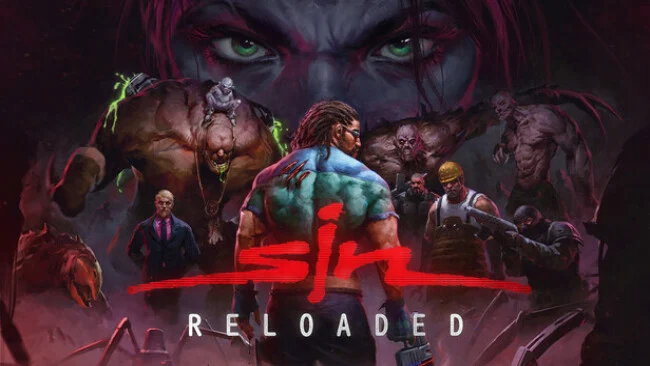
A grimy future metropolis provides the backdrop for a sharp-edged first-person shooter built around conspiracies, corporate abuse, and mutant carnage. Players take the role of Colonel John R. Blade, a hard-nosed security operative investigating SinTEK Industries and its charismatic, dangerous leader, Elexis Sinclaire. Her experimental drug is rewriting human DNA across the city, turning ordinary people into grotesque threats and escalating a criminal case into an all-out war. The tone is unapologetically late-’90s: loud guns, cynical one-liners, elaborate villainy, and environments that reward curiosity as much as aggression.
Blade fights through offices, laboratories, streets, docks, and industrial facilities using a hefty selection of conventional and experimental weapons. Encounters are more tactical than the average corridor shooter because enemies can lose their weapons when hit, while localized damage means incoming fire can affect specific parts of Blade’s body. Levels support multiple routes and interactive solutions, letting players operate security systems, access computer terminals, manipulate lifts, and take control of vehicles ranging from forklifts to boats and helicopters. The remaster updates aiming, movement, interface design, map flow, and technical performance through Nightdive’s KEX Engine, while retaining the original campaign’s branching decisions and including the Wages of SiN expansion.
Interactivity remains the real attraction, giving the campaign a more reactive feel than many shooters from its era. Rather than merely clearing rooms, players often poke at the environment, search for alternate ways forward, and deal with consequences that can shift later events. Remastered models, textures, menus, music presentation, high-resolution support, and the option to switch back to the older visual style make it friendlier for modern hardware without erasing its period character. SiN Reloaded suits fans of Half-Life, Quake II, and Nightdive’s restoration work, especially players who enjoy ambitious retro FPS design with personality, rough edges, and more systemic freedom than its age suggests.
Screenshots
Installation
- Select the Download button at the top of this page to open UploadHaven.
- On UploadHaven, wait for any countdown, then select Free Download. Optional: UploadHaven Pro for faster downloads.
- When complete, extract the archive to a SiN Reloaded folder using 7-Zip.
- Open the extracted folder and start the game normally.
- For errors, check Setup Guide & Troubleshooting below. Keep your security software enabled.
System Requirements
- Requires a 64-bit processor and operating system
- OS: Windows 10 (64-bit required)
- Processor: Intel or AMD Dual-Core at 2.0 GHz
- Memory: 1 GB RAM
- Graphics: GPU with DirectX 11 or Vulkan 1.1 support
- Storage: 4 GB available space
- Sound Card: 100% DirectX compatible sound card or onboard sound
Setup Guide & Troubleshooting
How do I fix missing DLL errors for SiN Reloaded?
After extracting SiN Reloaded, navigate to the _Redist or _CommonRedist folder inside the game directory and install DirectX, Vcredist, and any other dependencies included.
What should I do if the downloaded file is corrupted?
The full archive is 3.69 GB — make sure your download completed fully before extracting. Use 7-Zip to extract the files. If you still see a "file corrupted" error, re-download and try again.
Do I need to run the game as administrator?
Usually, no. Start the game normally from the extracted folder. If you see a permissions or save error, check that the folder is writable and follow the game's documented fix. Only grant administrator access when a trusted game's specific setup requires it.
How do I update my GPU drivers for this game?
The game won't launch — what should I try?
Check that extraction completed and your PC meets the system requirements. Note any error message before choosing a fix. If it identifies a missing runtime, install the required DirectX components or Microsoft Visual C++ Redistributable from Microsoft.
My antivirus is blocking the game — is it safe?
A warning needs to be investigated; the download source alone cannot confirm that a file is safe. Keep your security software enabled and review the detection details. Do not run or restore a flagged file unless you have verified that it is a false positive. If you are unsure, leave it quarantined.