
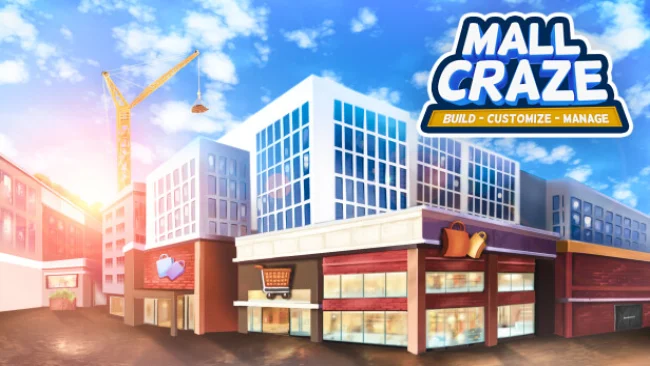
Game Overview
A blank plot becomes a personal retail playground in this colorful shopping-center builder, where the appeal lies in turning practical floor plans into something unmistakably yours. Mall Craze focuses on the fantasy of designing a bustling indoor destination from the ground up, whether that means recreating a familiar local mall or inventing an extravagant complex no real developer would approve. Its tone is light, creative, and deliberately playful rather than hard-edged or hyper-realistic. The result feels aimed at players who enjoy seeing an empty space gradually gain character through their own decisions.
Construction forms the heart of the experience, beginning with the layout and expanding into the shops, landmarks, and decorative details that give each mall a distinct identity. Players place different kinds of stores alongside features such as fountains, then shape the overall look through broad visual customization. Rather than treating every furnishing as a purely functional object, the game encourages silly luxury and personal flair; a gold piano is as valid a design choice as a sensible seating area. That makes the central loop less about following a fixed architectural template and more about repeatedly building, adjusting, decorating, and refining until the space matches the vision in your head.
Creative freedom is Mall Craze’s clearest strength, especially for anyone tired of builder games whose environments blur together after a few hours. The emphasis on appearance means your mall can feel grounded and familiar, absurdly lavish, or somewhere between the two, with the layout and décor serving as your signature. It carries some of the accessible, toy-box satisfaction associated with casual city builders and management sandboxes, but narrows its focus to one setting instead of asking you to govern an entire metropolis. Players who love interior design, layout planning, and decorating games should find plenty to enjoy, while newcomers benefit from a premise that is easy to understand: build the mall you wish existed.
Screenshots
Installation
- Select the Download button at the top of this page to open UploadHaven.
- On UploadHaven, wait for any countdown, then select Free Download. Optional: UploadHaven Pro for faster downloads.
- When complete, extract the archive to a Mall Craze folder using 7-Zip.
- Open the extracted folder and start the game normally.
- For errors, check Setup Guide & Troubleshooting below. Keep your security software enabled.
System Requirements
- OS: Windows 10
- Processor: Intel Core i5-7400 / AMD Ryzen 5 1600
- Memory: 8 GB RAM
- Graphics: NVIDIA GeForce GTX 1050 Ti (4GB) / AMD Radeon RX 560 (4GB)
- DirectX: Version 12
- Storage: 2 GB available space
- Additional Notes: Specifications may change during Early Access development.
Setup Guide & Troubleshooting
How do I fix missing DLL errors for Mall Craze (v0.2.7)?
After extracting Mall Craze (v0.2.7), navigate to the _Redist or _CommonRedist folder inside the game directory and install DirectX, Vcredist, and any other dependencies included.
What should I do if the downloaded file is corrupted?
The full archive is 374.42 MB — make sure your download completed fully before extracting. Use 7-Zip to extract the files. If you still see a "file corrupted" error, re-download and try again.
Do I need to run the game as administrator?
Usually, no. Start the game normally from the extracted folder. If you see a permissions or save error, check that the folder is writable and follow the game's documented fix. Only grant administrator access when a trusted game's specific setup requires it.
How do I update my GPU drivers for this game?
The game won't launch — what should I try?
Check that extraction completed and your PC meets the system requirements, including Version 12. Note any error message before choosing a fix. If it identifies a missing runtime, install the required DirectX components or Microsoft Visual C++ Redistributable from Microsoft.
My antivirus is blocking the game — is it safe?
A warning needs to be investigated; the download source alone cannot confirm that a file is safe. Keep your security software enabled and review the detection details. Do not run or restore a flagged file unless you have verified that it is a false positive. If you are unsure, leave it quarantined.