
Game Overview
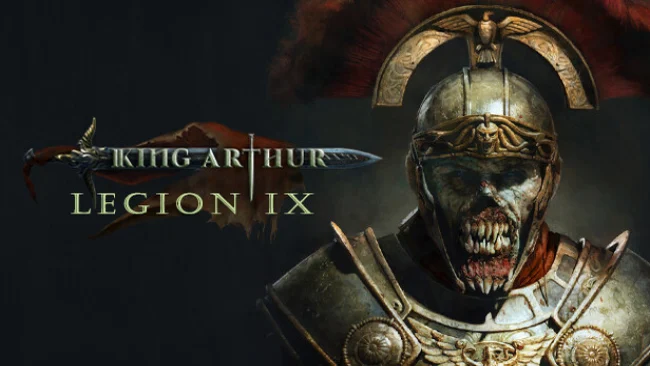
Avalon becomes a battlefield for Rome’s damned in this grim tactical RPG, where the lost Ninth Legion emerges from Tartarus and finds a new land to conquer. You command Gaius Julius Mento, a fallen tribune whose undead soldiers serve an emperor’s demonic bargain, yet his ambition to build an Eternal Rome collides with a land of Arthurian knights, fae, monsters, and warring faiths. King Arthur: Legion IX tells a self-contained story within the Knight’s Tale universe, so newcomers can follow its Roman campaign without prior knowledge. Its mood is oppressive and morally thorny, trading heroic Camelot romance for mud, ruins, occult power, and difficult compromises.
Missions revolve around leading a compact party of five or six heroes through carefully designed tactical encounters, with positioning often deciding more than raw damage. Cover, flanking, traps, overwatch, opportunity attacks, and character abilities make each turn a problem to solve, while Ultimate and World abilities provide powerful options when a fight turns ugly. Six recruitable undead heroes develop through individual skill trees, equipment choices, crafting, and plentiful artifacts, allowing teams to lean toward control, durability, burst damage, or support. Between expeditions, Nova Roma acts as a resource-starved headquarters: rebuilding its facilities improves the legion, but investments require meaningful trade-offs; several difficulty settings also accommodate either narrative-focused players or demanding tacticians.
What separates Legion IX from a standard squad tactics campaign is its fusion of XCOM-like battlefield planning with a darker, party-driven RPG structure and a striking Roman perspective on Arthurian fantasy. The campaign spans 15 handcrafted quests rather than an endless procedural war, keeping its focus on story momentum, tailored encounters, and Gaius’s gradual choice between reclaiming humanity or embracing demonhood. Heroes avoid permanent death at mission’s end, encouraging experimentation, though careless play can still leave a squad badly weakened and underprepared. Fans of King Arthur: Knight’s Tale, Warhammer 40,000: Chaos Gate, or tactical CRPGs that reward deliberate builds should feel at home, while its standalone cast makes it a solid entry point for patient newcomers.
Screenshots
Installation
- Select the Download button at the top of this page to open UploadHaven.
- On UploadHaven, wait for any countdown, then select Free Download. Optional: UploadHaven Pro for faster downloads.
- When complete, extract the archive to a King Arthur: Legion IX folder using 7-Zip.
- Open the extracted folder and start the game normally.
- For errors, check Setup Guide & Troubleshooting below. Keep your security software enabled.
System Requirements
- OS: Windows 10 64-bit
- Processor: Intel i5-4690 / AMD FX 4350
- Memory: 8 GB RAM
- Graphics: Nvidia GTX 780 / AMD Radeon R9 280X
- DirectX: Version 12
- Storage: 39 GB available space
Setup Guide & Troubleshooting
How do I fix missing DLL errors for King Arthur: Legion IX (v1.0.0c)?
After extracting King Arthur: Legion IX (v1.0.0c), navigate to the _Redist or _CommonRedist folder inside the game directory and install DirectX, Vcredist, and any other dependencies included.
What should I do if the downloaded file is corrupted?
The full archive is 34.08 GB — make sure your download completed fully before extracting. Use 7-Zip to extract the files. If you still see a "file corrupted" error, re-download and try again.
Do I need to run the game as administrator?
Usually, no. Start the game normally from the extracted folder. If you see a permissions or save error, check that the folder is writable and follow the game's documented fix. Only grant administrator access when a trusted game's specific setup requires it.
How do I update my GPU drivers for this game?
The game won't launch — what should I try?
Check that extraction completed and your PC meets the system requirements, including Version 12. Note any error message before choosing a fix. If it identifies a missing runtime, install the required DirectX components or Microsoft Visual C++ Redistributable from Microsoft.
My antivirus is blocking the game — is it safe?
A warning needs to be investigated; the download source alone cannot confirm that a file is safe. Keep your security software enabled and review the detection details. Do not run or restore a flagged file unless you have verified that it is a false positive. If you are unsure, leave it quarantined.