
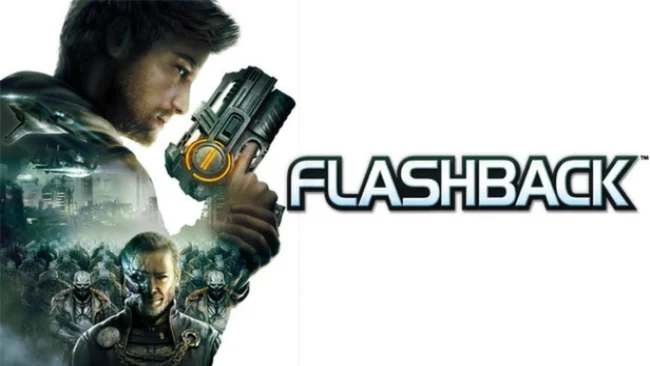
Game Overview
Conrad B. Hart returns in a glossy 2.5D action-platform adventure that reworks the cult 1992 sci-fi classic for a more modern audience. After waking with fragmented memories, the agent is pulled back into a conspiracy involving the shapeshifting Morphs, corporate intrigue, hostile colonies, and familiar names from the original story. The tone lands somewhere between pulp sci-fi thriller and arcade shooter, with alien worlds, futuristic cities, and space stations providing the backdrop for a linear campaign. Flashback (2013) keeps the broad premise of the old game while telling its tale with voiced cutscenes, cinematic camera work, and a substantially revised script.
Most of the action involves running through side-scrolling environments, taking cover behind scenery, rolling away from enemy fire, and picking off soldiers or alien creatures with Conrad’s blaster. Levels mix firefights with light platforming, environmental switches, basic navigation puzzles, and occasional exploration for hidden routes or collectibles. Gadgets expand Conrad’s options, while an experience system awards points that can improve combat-oriented abilities and equipment. The controls are more responsive and forgiving than the deliberately stiff, rotoscoped movement of the 1992 release, though that also means the methodical tension of the original is replaced by more conventional shooting-gallery encounters.
Its biggest appeal is the chance to revisit Flashback’s universe in a fully realized 3D visual style without abandoning the side-on format. Animations, backdrops, and transitions give the adventure a cinematic feel, while the updated mechanics make it far more approachable for players unused to older action-platformer design. Purists should know that it is a reinterpretation rather than a faithful remake: the structure, pacing, and storytelling differ sharply from the classic. Fans of Another World, Oddworld, or straightforward sci-fi platform shooters may find a worthwhile curiosity here, especially if they value atmosphere and franchise history over deep combat systems.
Screenshots
Installation
- Select the Download button at the top of this page to open UploadHaven.
- On UploadHaven, wait for any countdown, then select Free Download. Optional: UploadHaven Pro for faster downloads.
- When complete, extract the archive to a Flashback folder using 7-Zip.
- Open the extracted folder and start the game normally.
- For errors, check Setup Guide & Troubleshooting below. Keep your security software enabled.
System Requirements
- OS: Windows® XP SP3 / Windows® Vista SP2 / Windows® 7 SP1
- Processor: Core 2 Duo E4400 2.0GHz or Athlon 64 X2 Dual Core 4200+
- Memory: 1 GB RAM
- Graphics: 256 MB DirectX® 9 / Radeon HD 2600XT or GeForce 7600 GS
- DirectX: Version 9.0c
- Network: Broadband Internet connection
- Storage: 3 GB available space
- Sound Card: DirectX 9.0-compliant sound card
Setup Guide & Troubleshooting
How do I fix missing DLL errors for Flashback (2013)?
After extracting Flashback (2013), navigate to the _Redist or _CommonRedist folder inside the game directory and install DirectX, Vcredist, and any other dependencies included.
What should I do if the downloaded file is corrupted?
The full archive is 2.77 GB — make sure your download completed fully before extracting. Use 7-Zip to extract the files. If you still see a "file corrupted" error, re-download and try again.
Do I need to run the game as administrator?
Usually, no. Start the game normally from the extracted folder. If you see a permissions or save error, check that the folder is writable and follow the game's documented fix. Only grant administrator access when a trusted game's specific setup requires it.
How do I update my GPU drivers for this game?
The game won't launch — what should I try?
Check that extraction completed and your PC meets the system requirements, including Version 9.0c. Note any error message before choosing a fix. If it identifies a missing runtime, install the required DirectX components or Microsoft Visual C++ Redistributable from Microsoft.
My antivirus is blocking the game — is it safe?
A warning needs to be investigated; the download source alone cannot confirm that a file is safe. Keep your security software enabled and review the detection details. Do not run or restore a flagged file unless you have verified that it is a false positive. If you are unsure, leave it quarantined.