
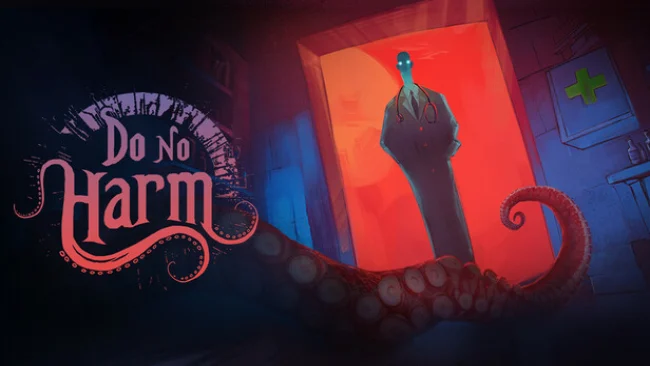
Game Overview
A remote nineteenth-century island village turns medical practice into a slow-burn nightmare, where every patient may be dying from illness, superstition, or something far worse. Do No Harm combines a doctor-management simulator with cosmic horror, placing you behind a desk full of questionable instruments and remedies while reality frays around you. Its mood is oppressive rather than action-heavy: dread comes from uncertainty, limited information, and the fear that a well-intended cure may condemn someone. Beneath the clinical routine lies a larger conflict involving ancient forces that use the isolated community as their battleground.
Each day revolves around examining villagers, interpreting their symptoms, consulting an elaborate medical book, and selecting treatments from a deliberately archaic collection of tools and medicines. Diagnosis is not a simple matching exercise, since tests and observations narrow possibilities without always delivering certainty, forcing you to make judgment calls under pressure. Patients remember outcomes, and your reputation affects how the village responds to you, so repeated mistakes have consequences beyond a failed procedure. The campaign challenges you to endure 30 escalating days while maintaining sanity, managing your practice, and coping with strange conditions that can obstruct actions or mislead your understanding of treatment results.
What separates Do No Harm from conventional hospital sims is how its horror directly interferes with the interface and decision-making instead of merely decorating the setting. Hallucinations, hostile anomalies, and unreliable feedback ensure that even familiar routines become suspicious, creating a tense blend of deduction and risk management reminiscent of Papers, Please’s moral pressure mixed with Lovecraftian paranoia. Multiple moral choices and twelve possible conclusions give failures and successful runs narrative weight, encouraging players to revisit key decisions. It suits simulation fans who enjoy learning systems through experimentation, as well as horror players who prefer unsettling psychological tension over combat.
Screenshots
Installation
- Select the Download button at the top of this page to open UploadHaven.
- On UploadHaven, wait for any countdown, then select Free Download. Optional: UploadHaven Pro for faster downloads.
- When complete, extract the archive to a Do No Harm folder using 7-Zip.
- Open the extracted folder and start the game normally.
- For errors, check Setup Guide & Troubleshooting below. Keep your security software enabled.
System Requirements
- OS: Windows 10/11
- Processor: Dual Core CPU
- Memory: 2 GB RAM
- Graphics: 2 GB
- Storage: 2 GB available space
Setup Guide & Troubleshooting
How do I fix missing DLL errors for Do No Harm (v1.2.1)?
After extracting Do No Harm (v1.2.1), navigate to the _Redist or _CommonRedist folder inside the game directory and install DirectX, Vcredist, and any other dependencies included.
What should I do if the downloaded file is corrupted?
The full archive is 732.79 MB — make sure your download completed fully before extracting. Use 7-Zip to extract the files. If you still see a "file corrupted" error, re-download and try again.
Do I need to run the game as administrator?
Usually, no. Start the game normally from the extracted folder. If you see a permissions or save error, check that the folder is writable and follow the game's documented fix. Only grant administrator access when a trusted game's specific setup requires it.
How do I update my GPU drivers for this game?
The game won't launch — what should I try?
Check that extraction completed and your PC meets the system requirements. Note any error message before choosing a fix. If it identifies a missing runtime, install the required DirectX components or Microsoft Visual C++ Redistributable from Microsoft.
My antivirus is blocking the game — is it safe?
A warning needs to be investigated; the download source alone cannot confirm that a file is safe. Keep your security software enabled and review the detection details. Do not run or restore a flagged file unless you have verified that it is a false positive. If you are unsure, leave it quarantined.